Plott
CRM for interior designers

Looking for a CRM? Start with approvals, quotes and payments.

Plott keeps enquiries, client approvals, GST quotes, invoices and POs in one place, built on the Google Drive folder you already use.

Free for 30 days · No card · Nothing to upload · Setup in minutes
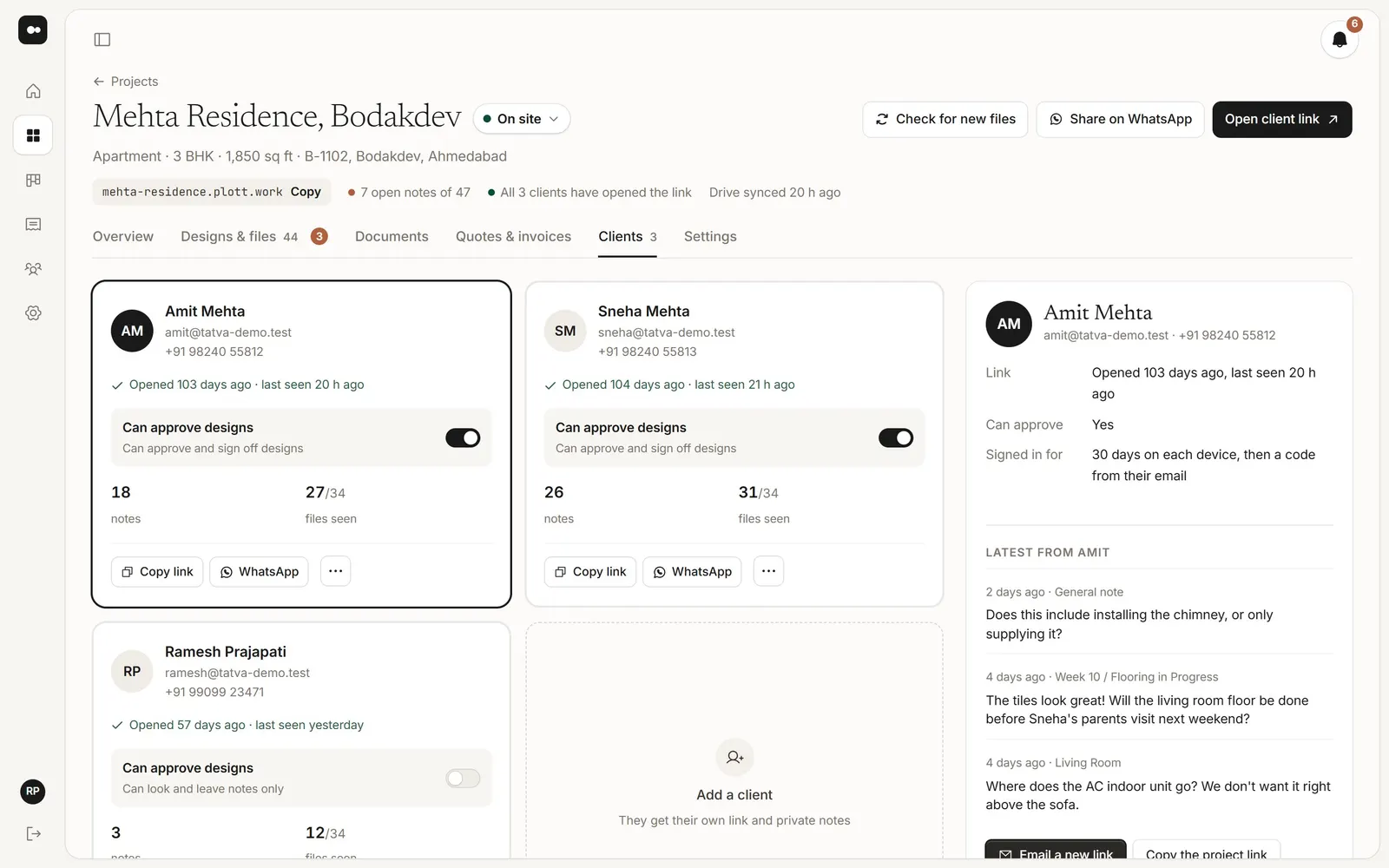
A project's clients in Plott, with contact details, when each last opened the link and their latest notes
Sound familiar?

Client work spread across WhatsApp, Word and Excel.

Approved in a chat

A client says yes to a layout on WhatsApp. A month later nobody can find the message, and they remember it differently.

Quote_final_v3.docx

Every quote starts as a copy of the last one, GST is worked out by hand, and nobody is sure which revision was signed.

Who has paid what?

Advances and stage payments live in a bank app and someone's memory, so reminders go out late or not at all.

POs typed from scratch

Orders for the carpenter and the tile supplier are written fresh each time, and the project's cost only shows at the end.

How Plott fits

The client side of every project, in one place.

Enquiries

Every enquiry, from the first call to won.

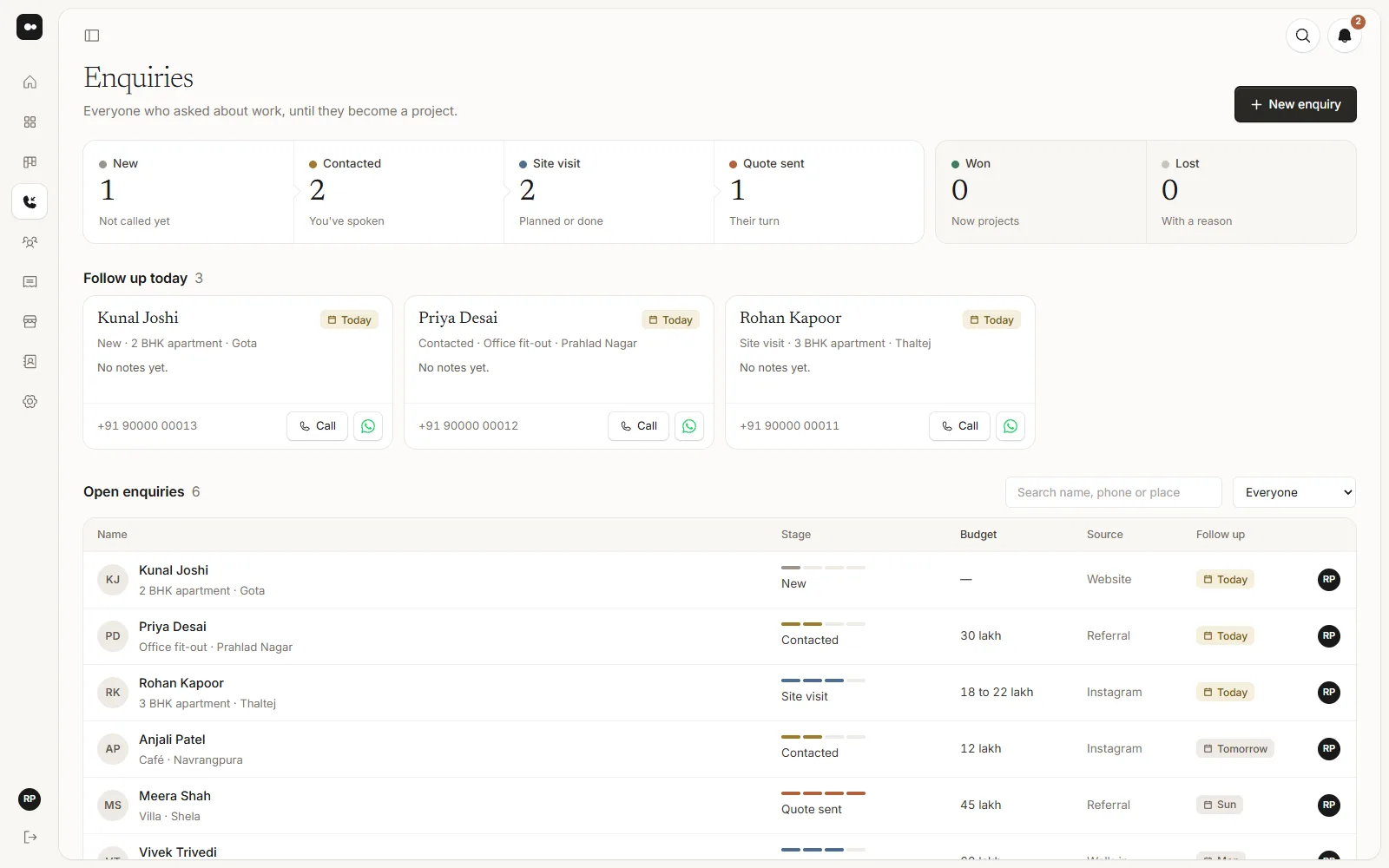
Note who asked, where they came from and when to call back. Move them from New to Contacted, Site visit and Quote sent, and when they say yes, the enquiry becomes a project.

  • Who to call today, with Call and WhatsApp buttons
  • A quote written before there is a project
  • Won enquiries become projects, quotes included
Enquiries in Plott: counts for each stage, the calls to make today and every open enquiry
Approvals

Design approvals with the version and date on record.

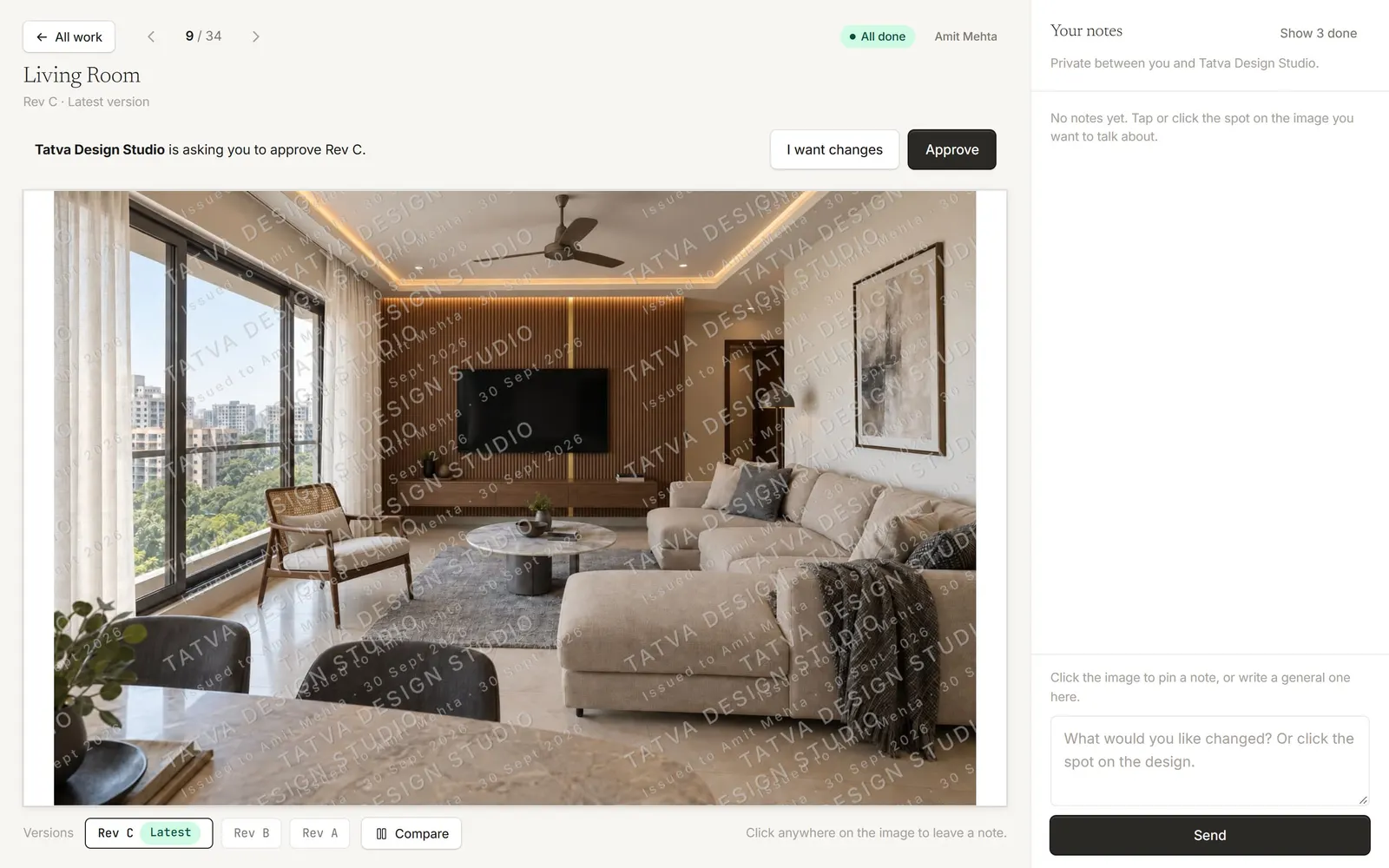
Clients open their own private link, pin notes on the exact spot of a render or drawing, and approve a version. You see who approved what, and when.

  • Notes pinned to the spot on the image or sheet
  • Approval of an exact version, like Rev C
  • No app and no account for your client
A client's view of a living room render in Plott, with Approve and I want changes buttons
Quotes

GST quotes your client signs on their phone.

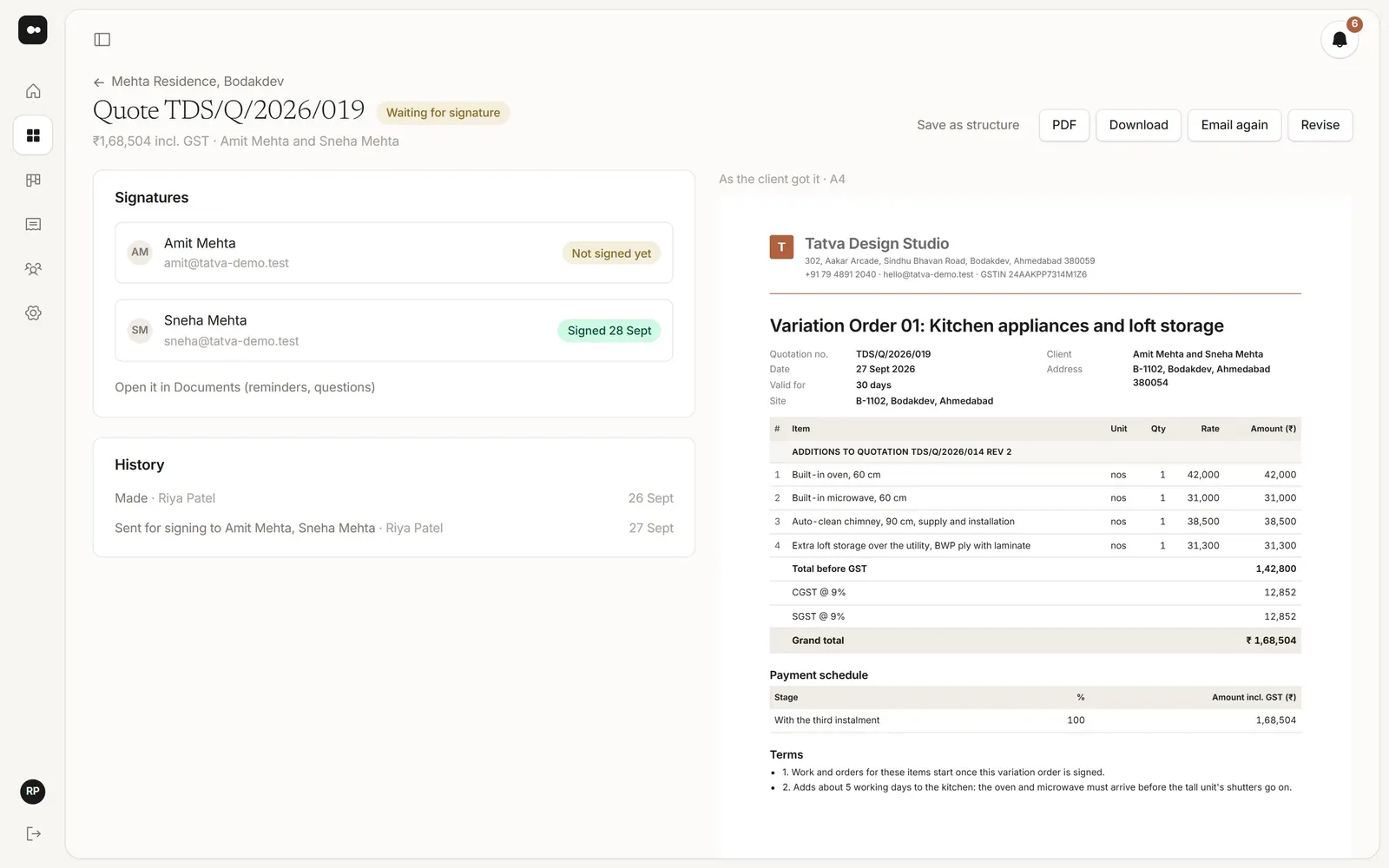
Make a quotation or BOQ with CGST and SGST or IGST and a payment schedule, on your letterhead. Send it to sign, and revise it without losing the old one.

  • GST quotes and tax invoices with your numbering
  • Signed by each client from their own link
  • Earlier revisions kept, the signed one marked
A GST variation order in Plott, signed by one client and waiting for the other
Payments

Received, due and not invoiced yet, at a glance.

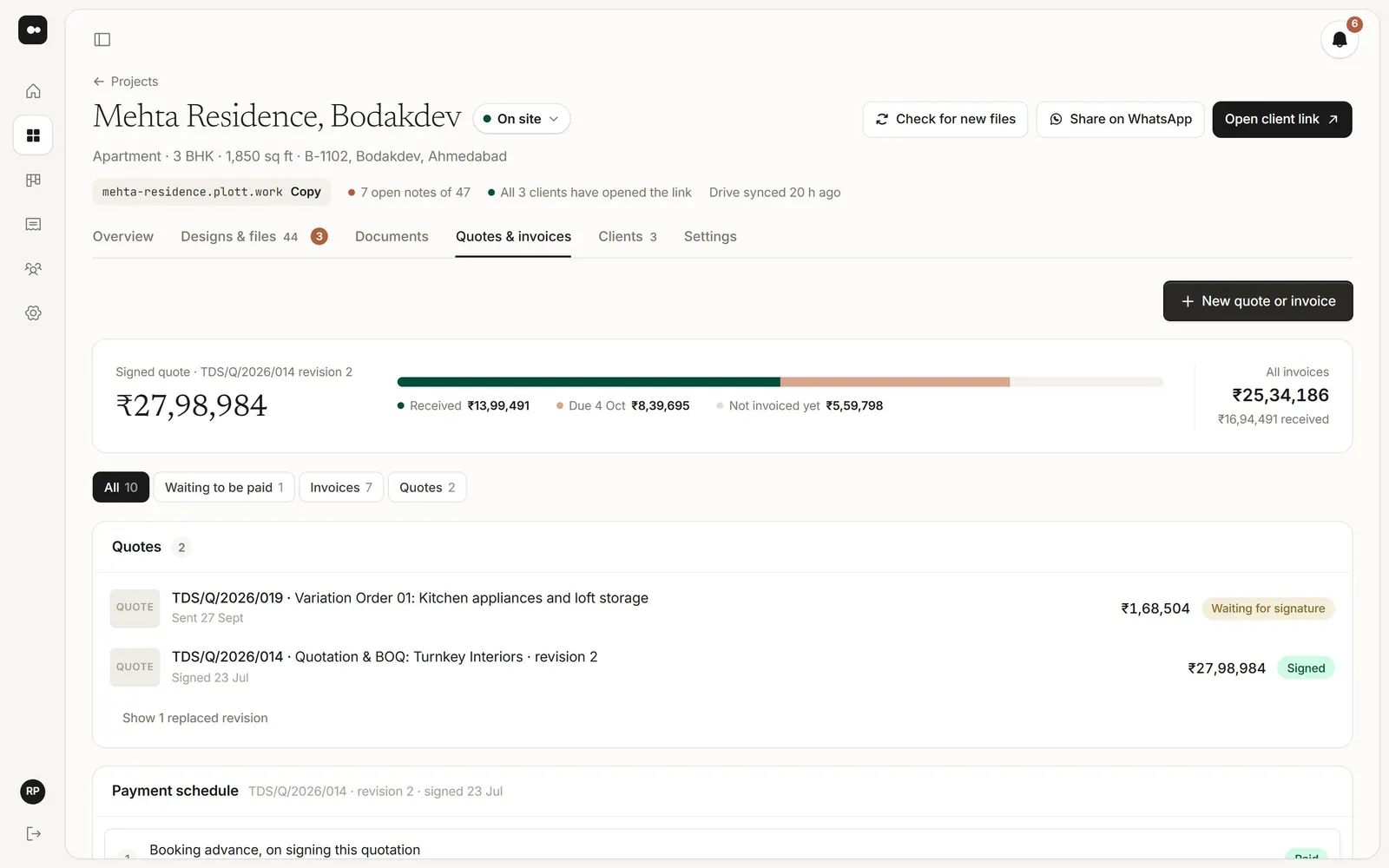
Turn each stage of the signed quote into a GST invoice, and mark it paid when the money arrives. Clients pay you directly: Plott only keeps the record.

  • Invoices raised from the payment schedule
  • Each payment with its date and UTR or cheque number
  • Reminders on what is due, as tasks for your team
A project's quotes and invoices in Plott: received, due and not invoiced yet
Vendors

POs for vendors, and what each project costs.

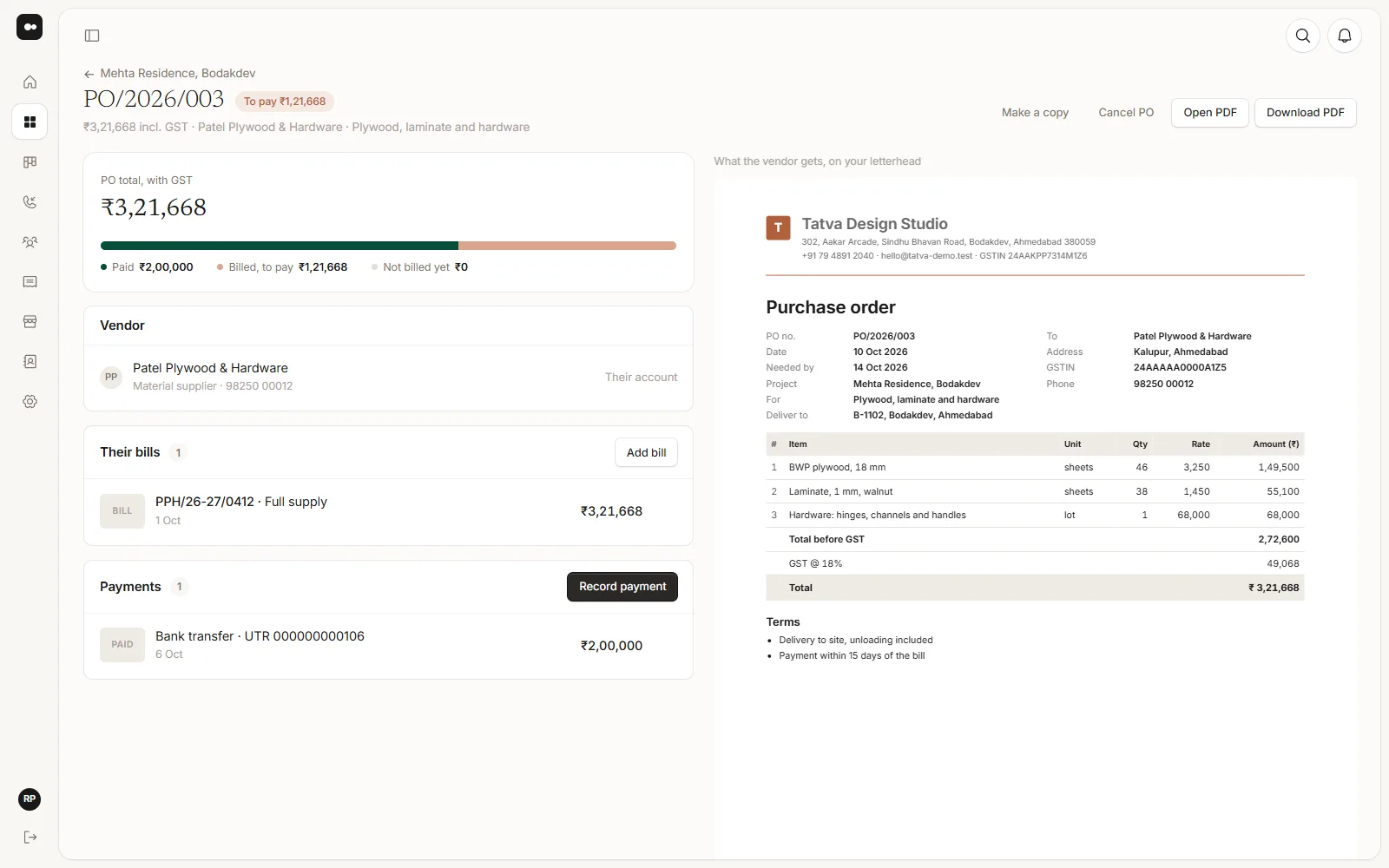
Send purchase orders on your letterhead to carpenters, plumbers and suppliers, add their bills and payments, and see the project's cost against the signed quote.

  • One vendor on each PO, numbered when issued
  • Vendor bills and payments kept with the PO
  • Project cost set against the signed quote
A purchase order for plywood and laminate in Plott, with the vendor's bill and a payment
Questions

Questions about Plott and CRMs.

Is Plott a CRM?

Partly. Enquiries keeps everyone who asked about work, from the first call to a site visit and a quote, with a day to follow up on each. When they say yes, the enquiry becomes a project, and Plott keeps their design approvals, GST quotes, invoices, payments and POs there, next to the files in your Google Drive folder.

Can I use Plott with Zoho CRM or HubSpot?

Yes, side by side. There is no direct integration: if your enquiries live in a CRM, add each client's Plott project link to their record, so the sales history and the project are one click apart. Or keep enquiries in Plott, where a won enquiry becomes the project.

Does Plott collect payments from my clients?

No. Your clients pay you the way they do today, by bank transfer, UPI, cheque or cash. Plott records what came in and what is still due, and never takes or holds the money.

Do my clients need to sign up?

No. Each client gets a private link that opens on a phone or laptop, with no app to install. The emailed link signs them in.

Can I hide quotes and invoices from some of my team?

Yes. Every studio starts with Owner, Designer and Accounts roles, and you can make your own, for example a site role that can't see quotes and invoices.

Run your next project's approvals and quotes in one place.

Connect its Google Drive folder, add your client, and send the first quote from the same project.

No card · No migration · Setup in minutes